Berth management

Control every berth, booking and boat

Dockyard brings berth administration for marinas, watersport clubs and municipal harbors together. From available capacity to renewals and relocations.

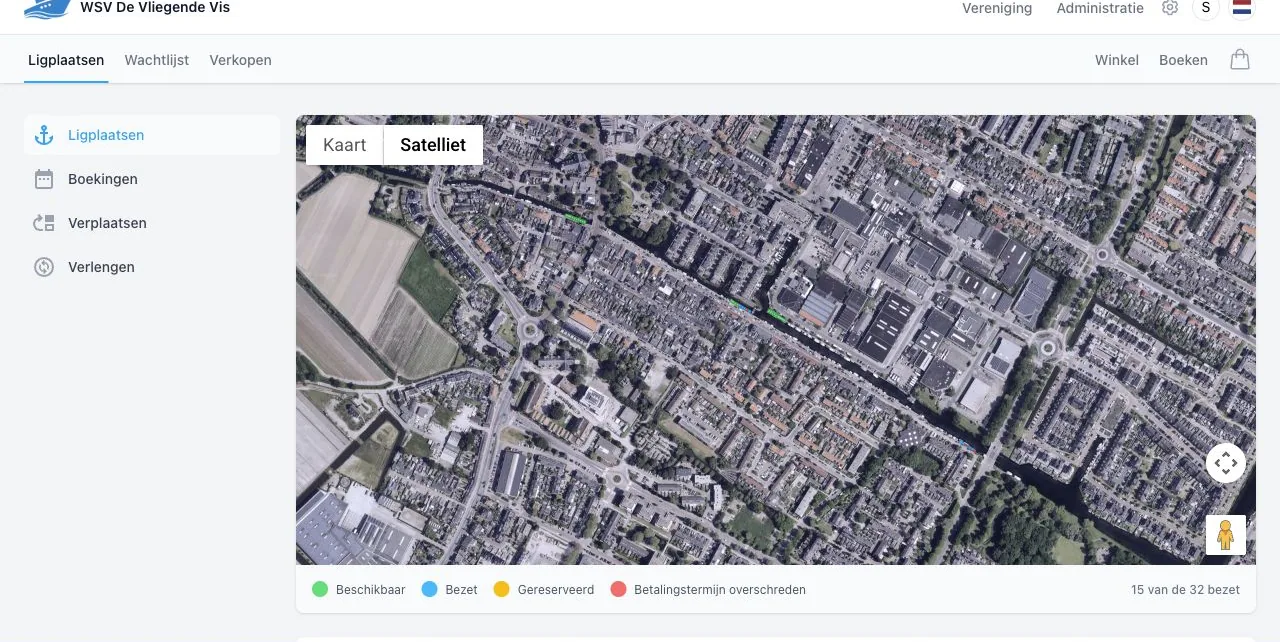
Berth map for WSV De Vliegende Vis in Dockyard

Who it is for

One system for three types of harbors

The core problem is the same: know which berth is free, who is using it and what needs to be paid. The setup adapts to your organisation.

Marinas

Permanent berths and visitors

Manage yearly berths, seasonal stays and short visits from the same map and booking administration.

Watersport clubs

Members, boats and exceptions

Connect berths to members and boats, decide when membership is required and apply the right discount when the situation calls for it.

Municipal harbors

Capacity per harbor and period

See which places are available, record the user and period, and keep changes traceable.

From setup to next season

Each step follows the previous one

The map, customer details, boat, booking and payment stay connected. Your team does not have to copy information from one list to another.

  1. 01

    Set up the harbor

    Record piers, berths, dimensions, facilities, periods and prices.

  2. 02

    Find an available spot

    Enter the period and boat dimensions and see only suitable berths.

  3. 03

    Create the booking

    Link customer, boat, berth, period, products and any discount.

  4. 04

    Track occupancy

    Filter bookings by period and status and open the full details directly.

  5. 05

    Plan what follows

    Renew permanent berths or move boats to another berth.

Berth management in practice

From available spot to next season

These screens come from the WSV De Vliegende Vis environment and show the main steps.

Step 1 · Availability

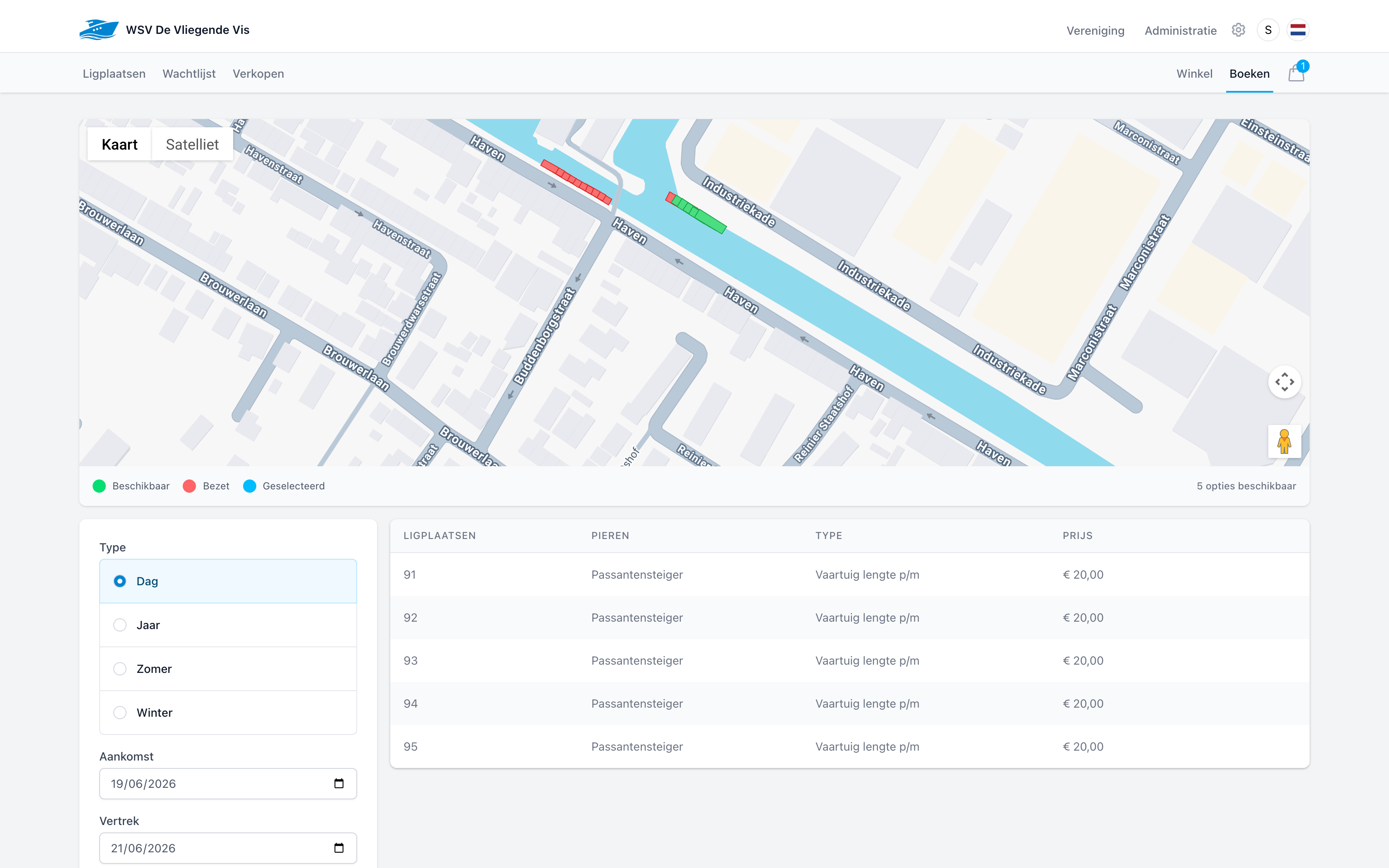
See what is free for the exact period

Enter the period and boat dimensions. Dockyard checks the planning and shows berths that fit and are available at that moment.

  • Search by day, year, summer or winter period.
  • Filter by length, width, pier, electricity and water.
  • See available spots and the matching price immediately.
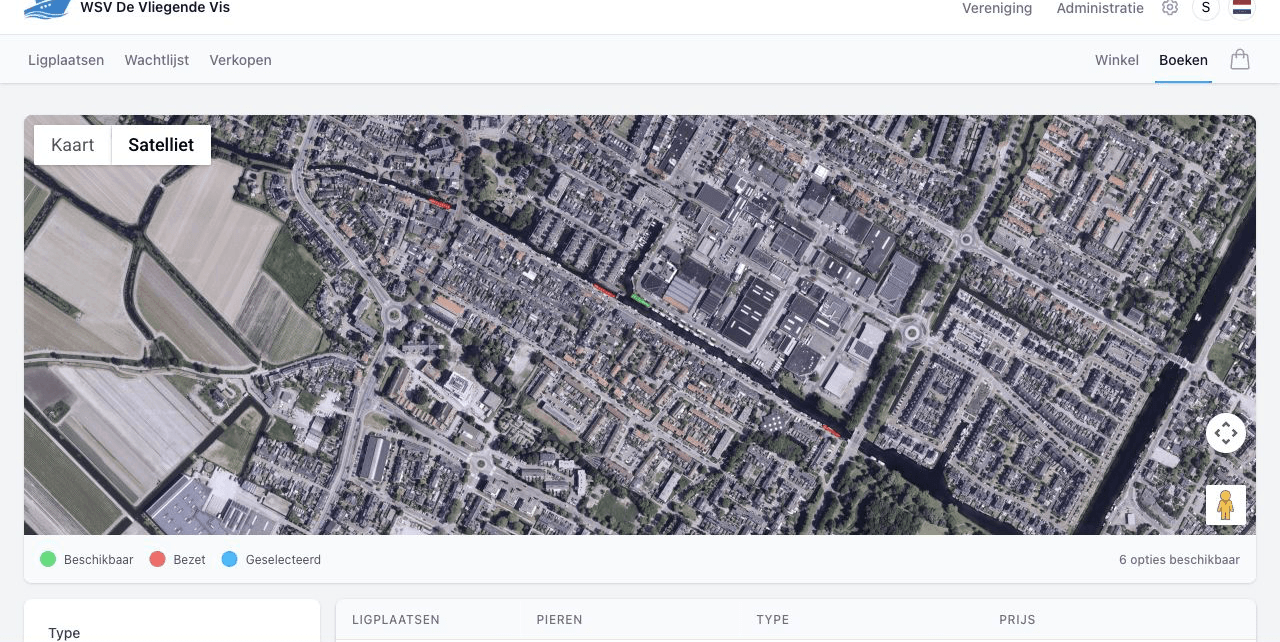
Available berth search for WSV De Vliegende Vis

Step 2 · Bookings

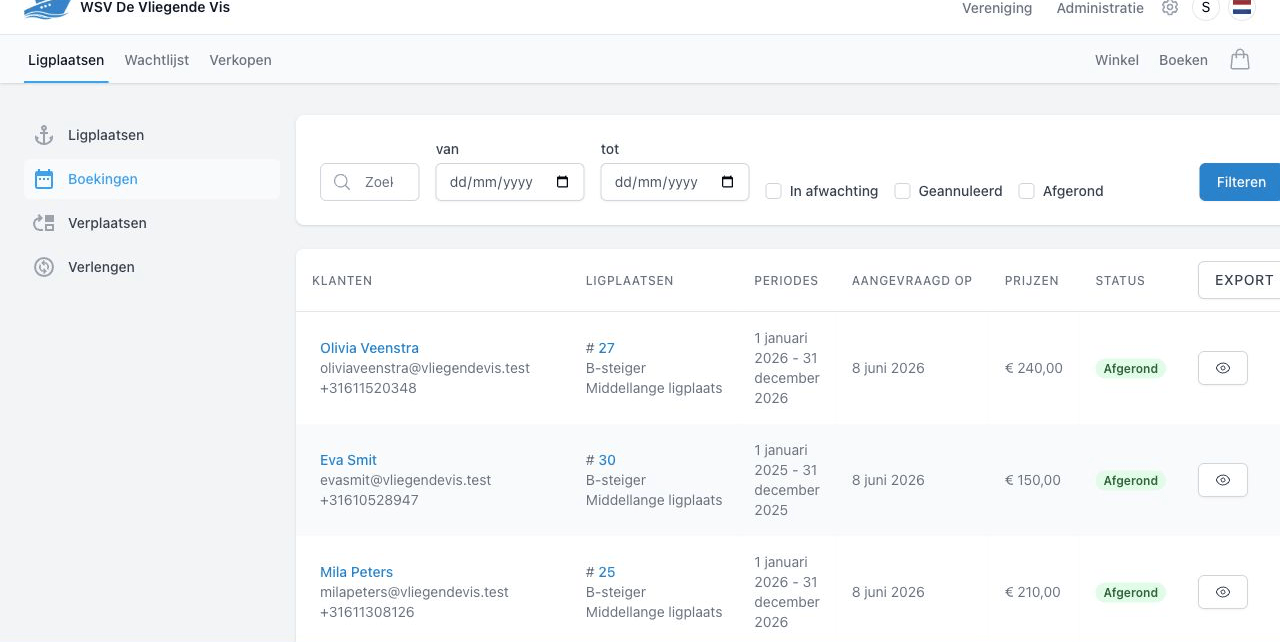
Keep every booking complete

After booking, the customer, boat, berth, period, price and status stay together. A harbormaster can answer questions without comparing several lists.

  • Filter by customer, period and booking status.
  • Open the customer, berth or full booking from the overview.
  • Export booking data when you need it outside Dockyard.
Booking overview for WSV De Vliegende Vis

Step 3 · Renewals

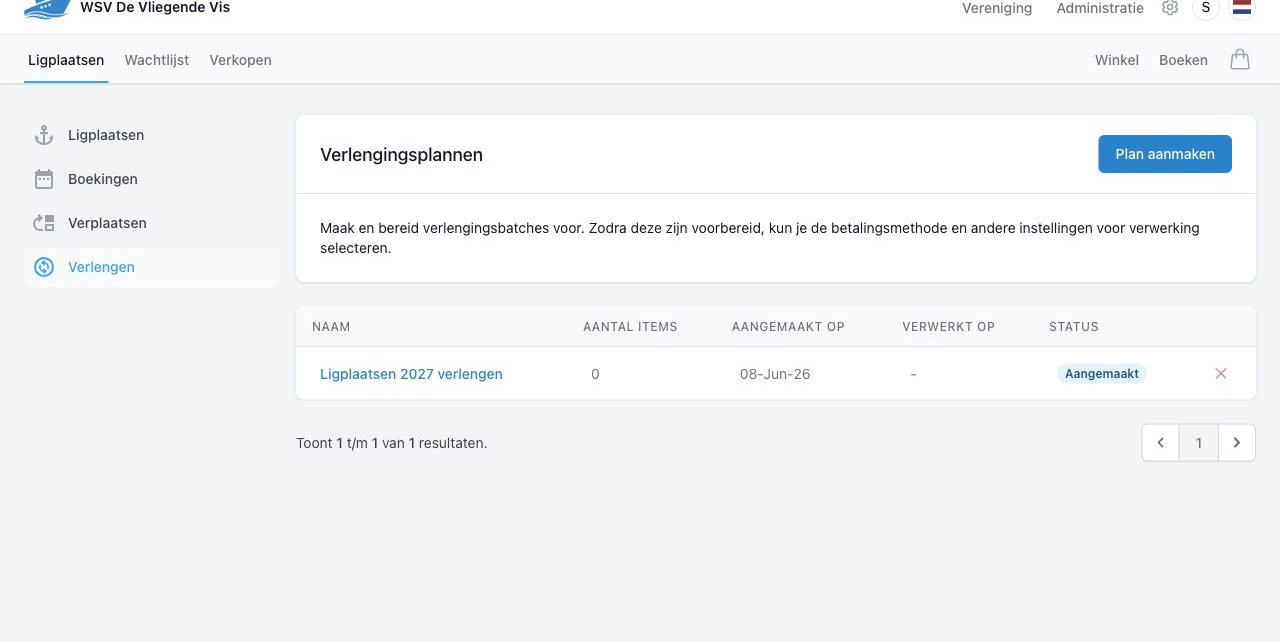
Renew permanent berths in one controlled round

Permanent berths do not need to be recreated one by one. Add bookings and memberships that may continue to a renewal plan and review the round before processing it.

  • Decide per booking whether automatic renewal is enabled.
  • Bundle berths and memberships in a renewal plan.
  • Check exceptions and choose the payment method afterwards.
Renewal plan for WSV De Vliegende Vis

Step 4 · Relocation

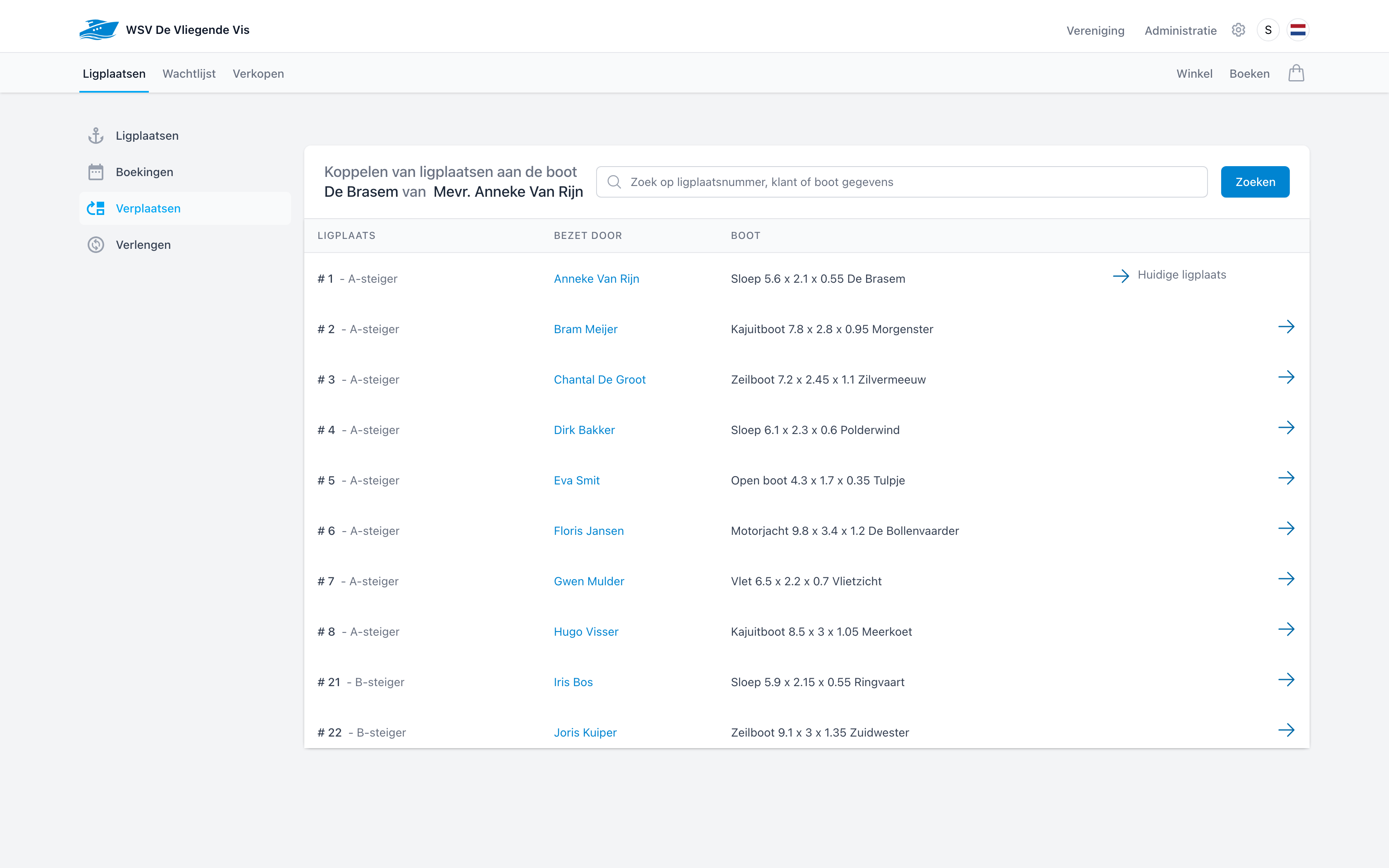
Move boats without losing the overview

Moving a boat is more than changing a berth number. Dockyard shows the current berth, lets you choose a destination and stores the change in a plan for the harbor team.

  • Select the existing booking and boat.
  • Choose one or more new berths.
  • Complete the plan only when every relocation is correct.
Choosing a new berth for a boat from WSV De Vliegende Vis

Booking

A new booking in two steps

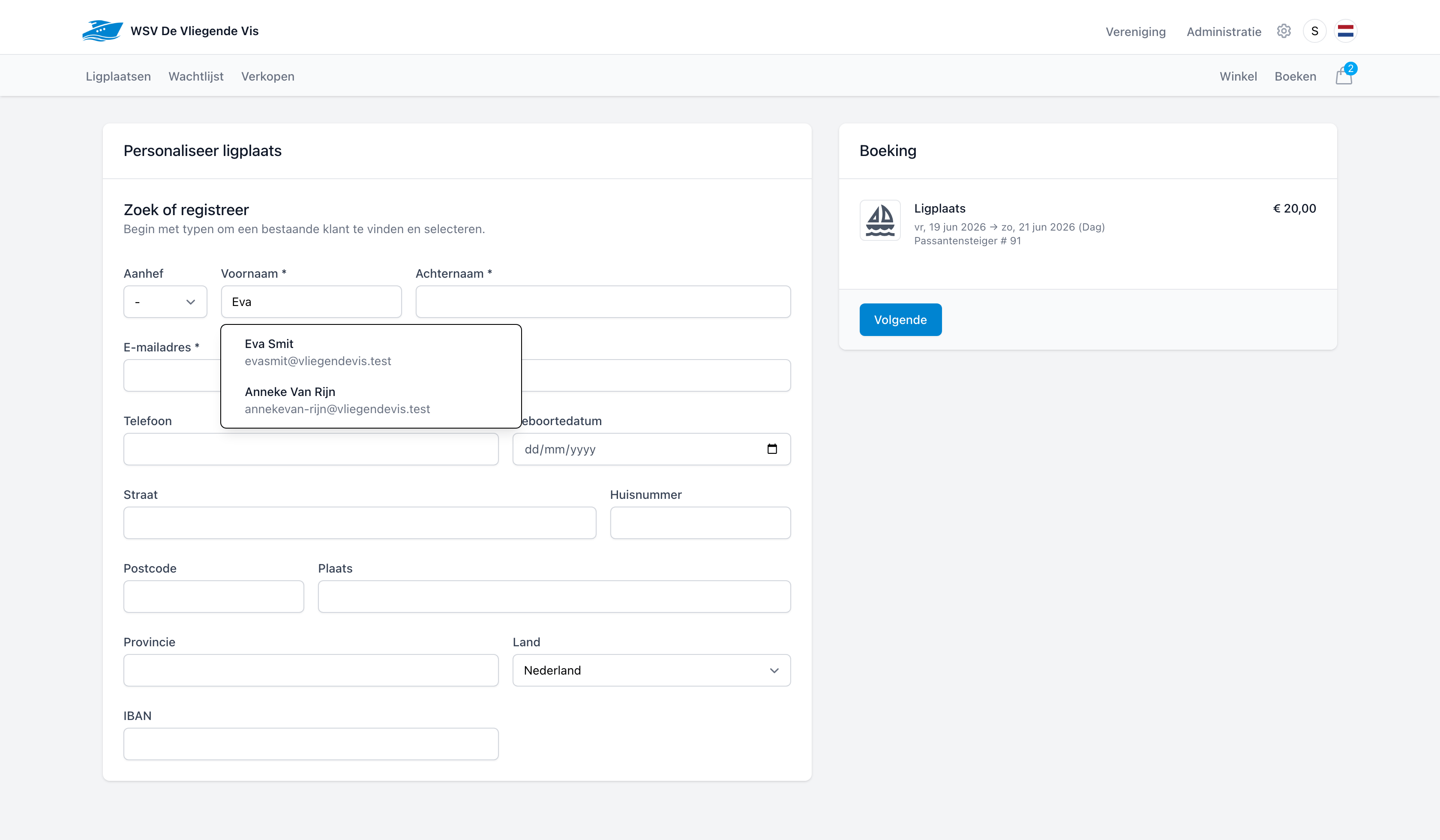
The book button starts a guided flow for your team: search, select and personalise. There is no faster way to get a visitor onto a berth.

1

Step 1 · Search

Search the map and the list

Pick the period, enter the boat dimensions and filter by pier or amenities. Available berths light up green on the map and appear in the list with their rate.

Available berths on the map of WSV De Vliegende Vis
2

Step 2 · Personalise

Link the customer and finish

Start typing to select an existing customer, or register a new one. The booking with berth, period and price is ready and moves on to checkout in one click.

Personalising a booking with customer details at WSV De Vliegende Vis

Visitors

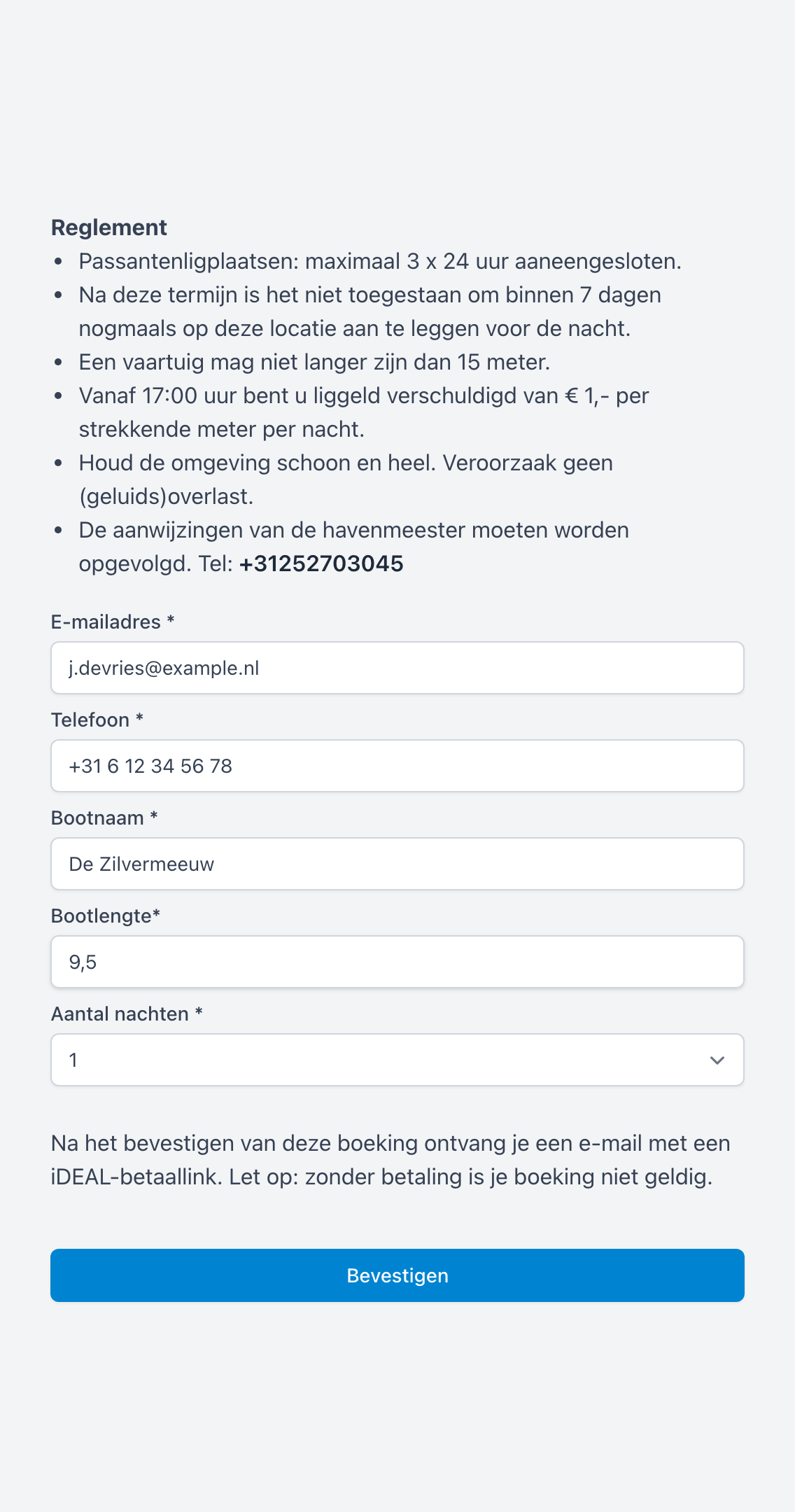
Visiting boats book themselves, even outside office hours

Every harbour gets its own public booking page. Share the link — for example as a QR code on the jetty — and the visitor handles it themselves: read the rules, fill in their details and pay right away.

  • Your harbour rules and rates sit at the top of the page.
  • The visitor immediately receives an email with an iDEAL payment link; without payment the booking is not valid.
  • The booking automatically appears among your sales and bookings.
Public visitor booking page of WSV De Vliegende Vis

Member rules and pricing

Not every boat owner follows the same rule

A club works differently from a commercial marina. Dockyard lets you adapt the booking to the member, period and agreements in your organisation.

Membership where needed
Decide per booking period whether an active membership is required. That lets you configure youth or visitor offers without a regular membership.
Discount on the order
Add an amount or percentage discount to an eligible product, for example for youth members or a specific club agreement.
Review before processing
Products, discounts, memberships and the berth stay visible in the order and during a renewal round.

See how Dockyard brings your berths together

In a short demo, we walk through setup, booking, renewals and relocations for your marina, club or municipality.