Sales & payments

Every sale and payment in one overview

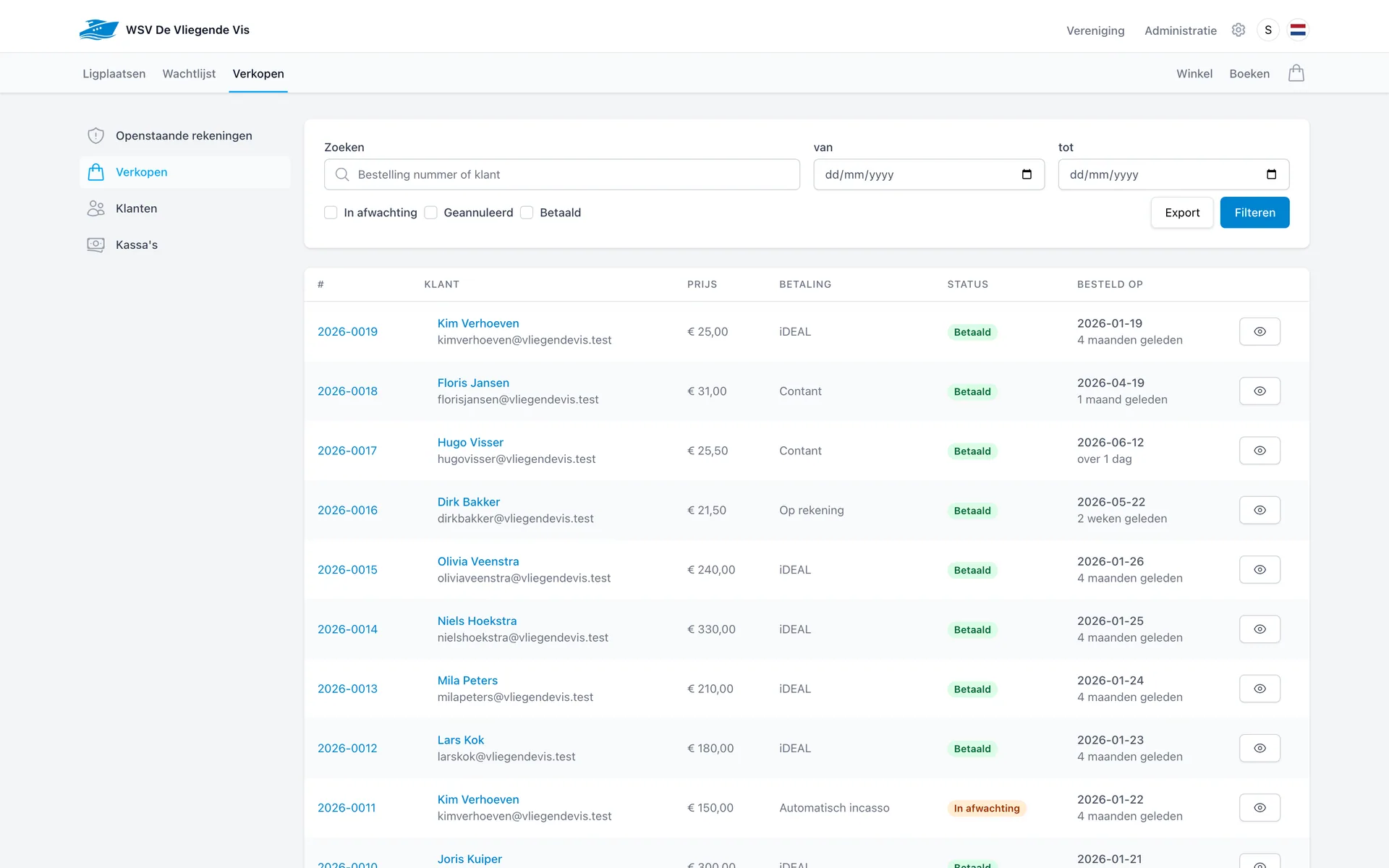
Berths, shop sales and memberships come together in a single sales administration. For every order you see what was paid, how it was paid and what is still outstanding.

Sales overview of WSV De Vliegende Vis in Dockyard

Payment methods

Let customers pay the way that suits them

Every order records its payment method. When counting the till and in the books you see exactly where the money came from.

iDEAL

Customers pay online, for example for a berth booking or waiting list application.

Cash

Settled at the counter and immediately added to the cash register ledger.

On account

Put an order on the running account and monitor the outstanding balance per customer.

Direct debit

For recurring amounts such as memberships and annual berths.

Sales in practice

From order to till count

The screens below come from the WSV De Vliegende Vis environment and show how you monitor sales, accounts and cash registers.

Monitor

Open accounts and unpaid sales in view

The dashboard shows running accounts and unpaid sales with the outstanding amount and how long it has been open. Nothing slips through unnoticed.

  • Running accounts with the outstanding amount per customer.
  • Unpaid sales with the number of days open.
  • Click straight through to the order or customer.
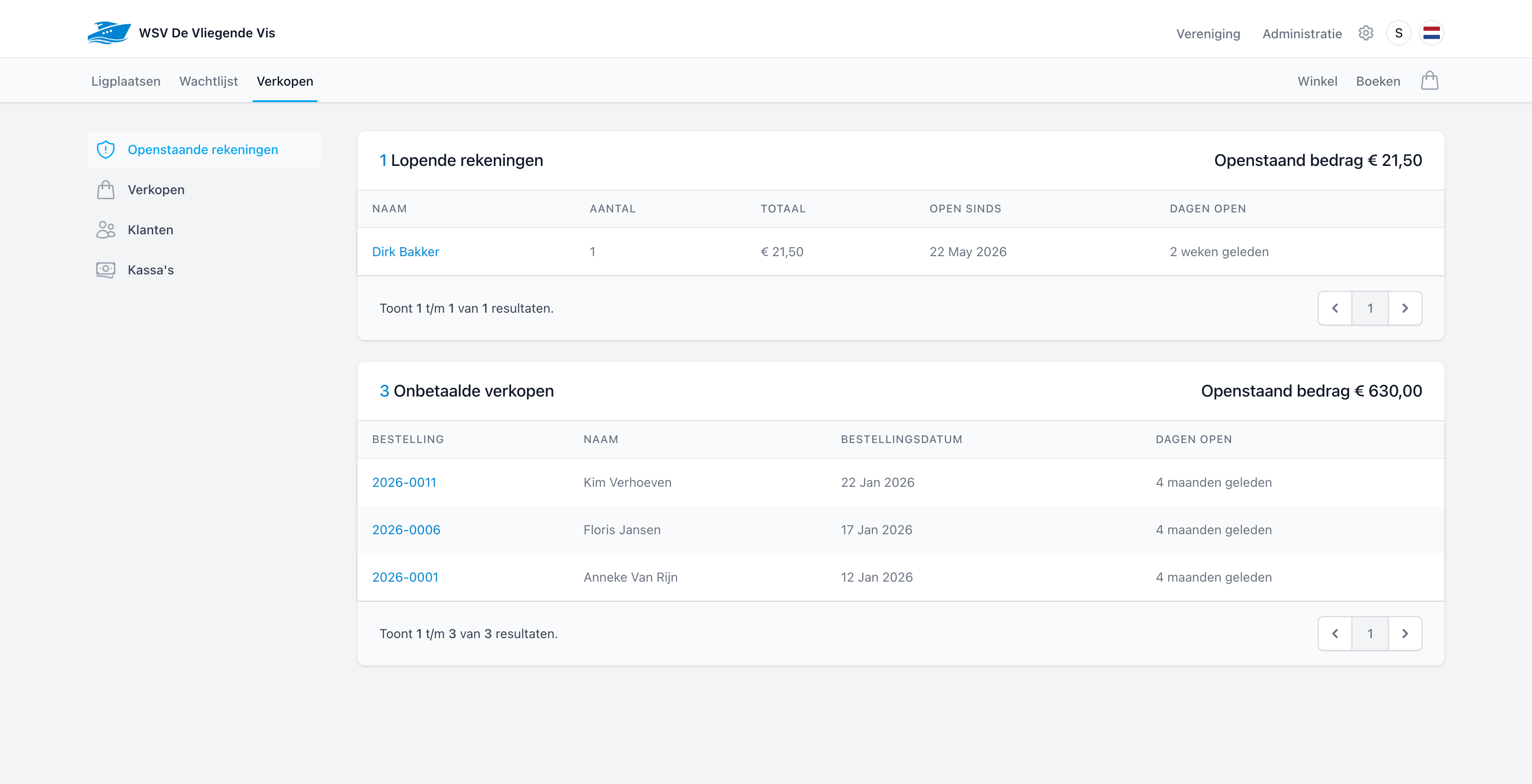
Open accounts of WSV De Vliegende Vis
Cash

Every register with its own balance and ledger

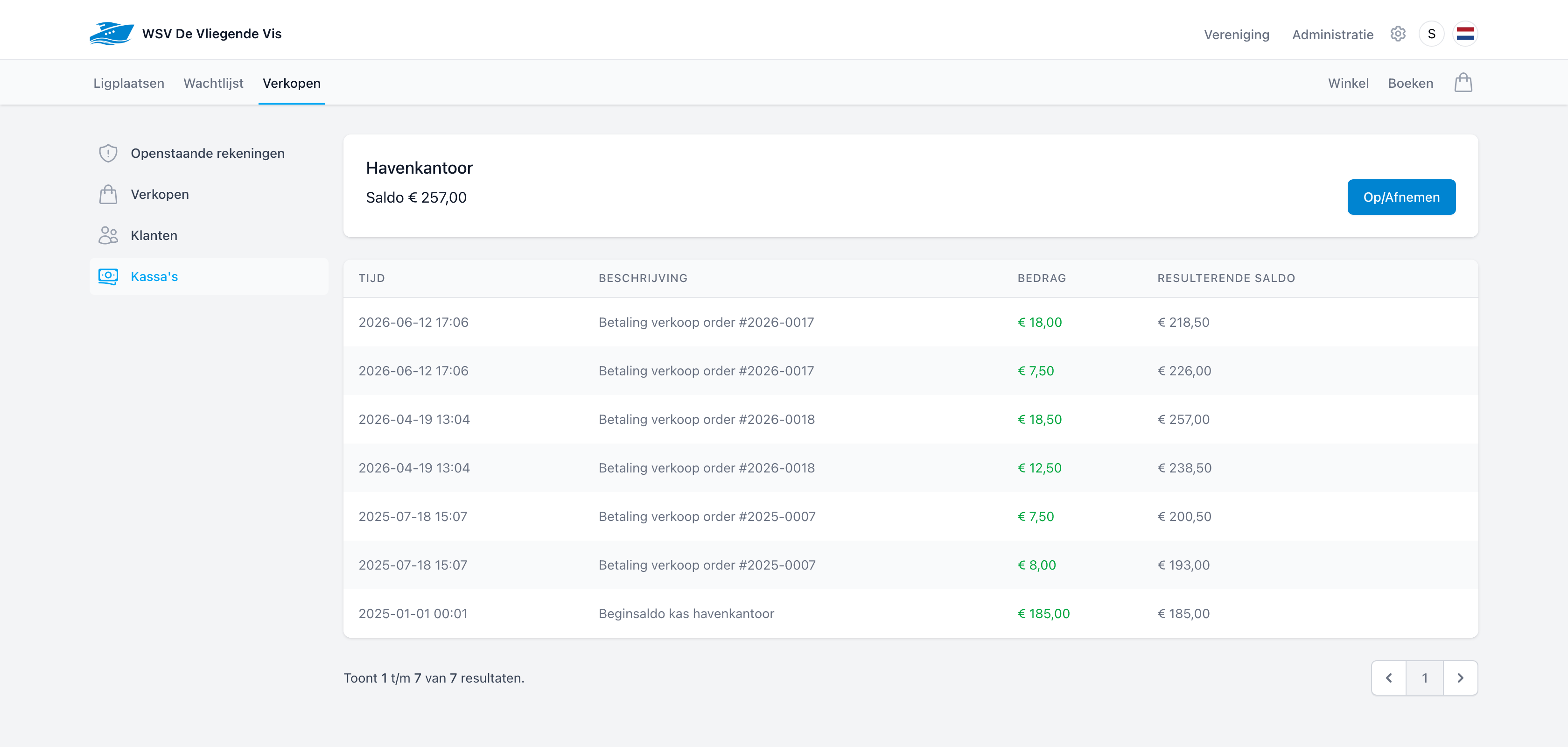
A register such as the harbour office has its own balance and transaction history. Every cash payment is added automatically; deposits and withdrawals are recorded.

  • Payments per order automatically in the ledger.
  • Deposit or withdraw cash in a single action.
  • The resulting balance is always up to date.
Cash ledger of the harbour office register at WSV De Vliegende Vis
Customers

All customers with their order history together

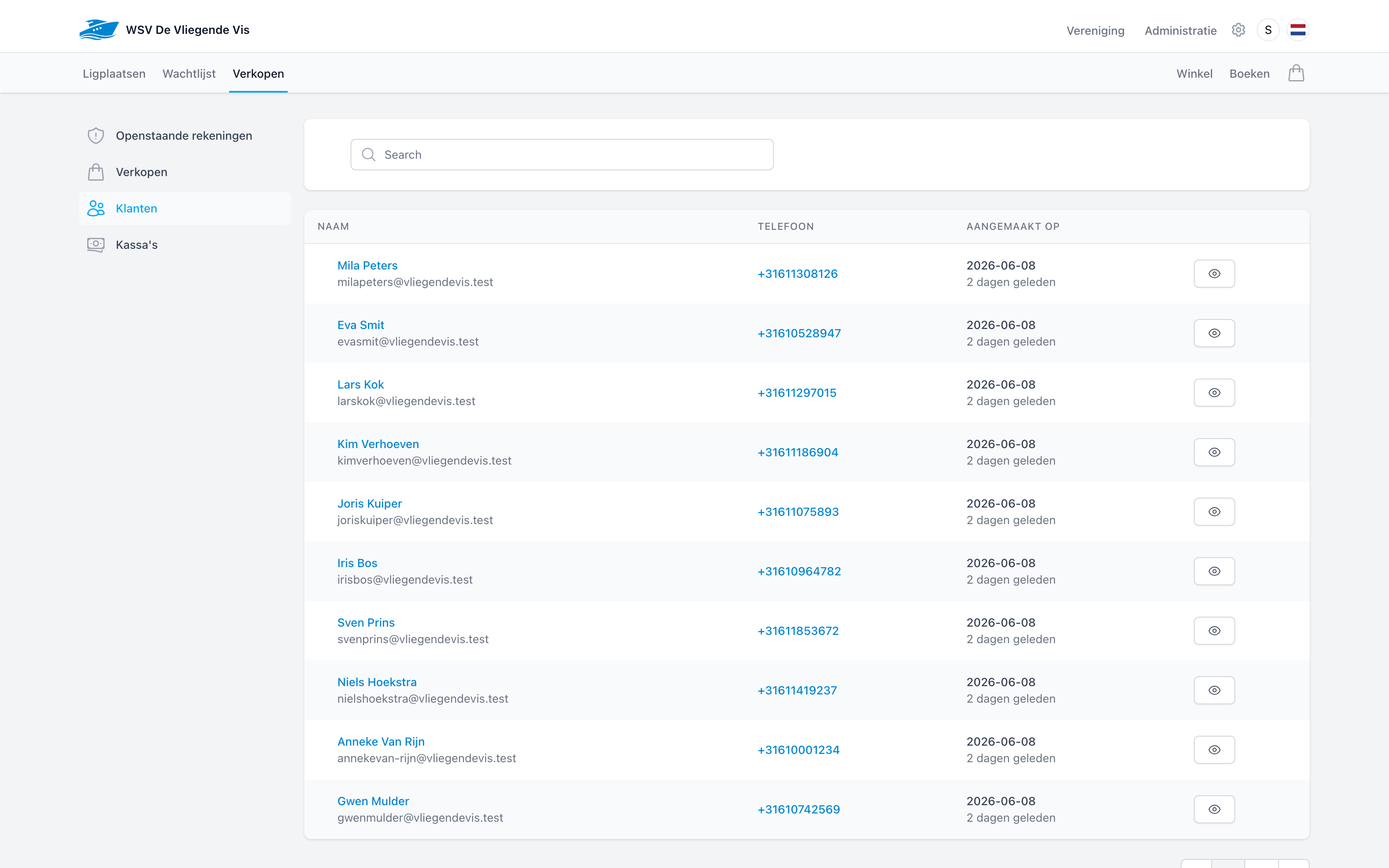
Customers, members and visitors share one customer overview with contact details. From the customer you open their orders and outstanding items directly.

  • Search by name, email address or phone number.
  • See orders and outstanding items per customer.
  • Linked to members, boats and berths.
Customer overview of WSV De Vliegende Vis

One continuous line

From sale to bookkeeping

Every step builds on the previous one. Your team records nothing twice and the administration stays balanced.

  1. 1

    A sale is created

    A berth booking, shop sale or membership automatically becomes an order with an order number.

  2. 2

    The payment is recorded

    iDEAL, cash, on account or direct debit: the payment method is stored with the order and in the ledger.

  3. 3

    Outstanding amounts are monitored

    Running accounts and unpaid sales appear on the dashboard automatically, with days open.

  4. 4

    The books line up

    Sales land on the correct ledger account and flow through to finance and VAT.

Automatic communication

Clear emails, without your team having to think about them

Dockyard emails your customers at the moments that matter, in your harbour's own style: with your logo, photo and contact details. Nobody has to draft or chase anything.

Booking confirmation
As soon as a berth is booked, the customer receives a confirmation with all the details.
Payment request
With every order: a price breakdown with an iDEAL link or bank details and the payment term.
Payment reminder
Dockyard watches the payment term and automatically sends reminders for outstanding payment requests every morning.
Invoice
The invoice as a tidy email with the order, ready for the customer's own records.
Cancellation confirmation
If an order or booking is cancelled, the customer is notified right away.
Direct debit announcement
With direct debit, Dockyard neatly announces the upcoming collection in advance.

From: WSV De Vliegende Vis

To: evasmit@vliegendevis.test

Subject: Reminder: complete your booking

VV

Dear Mrs Smit,

A payment request is still open for your booking at WSV De Vliegende Vis. You can pay until 3 July.

Berth · Visitor pier # 91

Fri 19 Jun → Sun 21 Jun 2026 (Day)

€ 40.00

To pay

€ 40.00

Pay now via iDEAL

Example: the automatic payment reminder as your customer receives it.

See how Dockyard brings your sales together

In a short demo we walk through the sales overview, payment methods, open accounts and cash registers for your marina or club.