
Waiting list feature
Every berth request in one controllable workflow
Dockyard HMS digitises the entire waiting list journey: public application forms, reviews, approvals and billing with memberships when needed.
Why Dockyard
Waiting list tooling built for harbor teams
Everything that happens in HMS is linked to a booking period and waiting list product, so you always know who is next and what they need.
- Digital applications
- Share your branded waiting list link and collect customer, vessel, insurance and document uploads in one secure form.
- Status filters
- Filter on new, active, unpaid, completed or cancelled entries so the right harbor master always knows what to do next.
- Automatic orders
- Approving an application creates the waiting list entry and the order. You pick the payment method, from an iDEAL link to direct debit.
- Membership aware
- If a season requires an association membership Dockyard adds it to the same order, so invoices are compliant by default.
Why Dockyard
From application to order in Dockyard HMS
Preview the touch points your team uses while managing the waiting list.
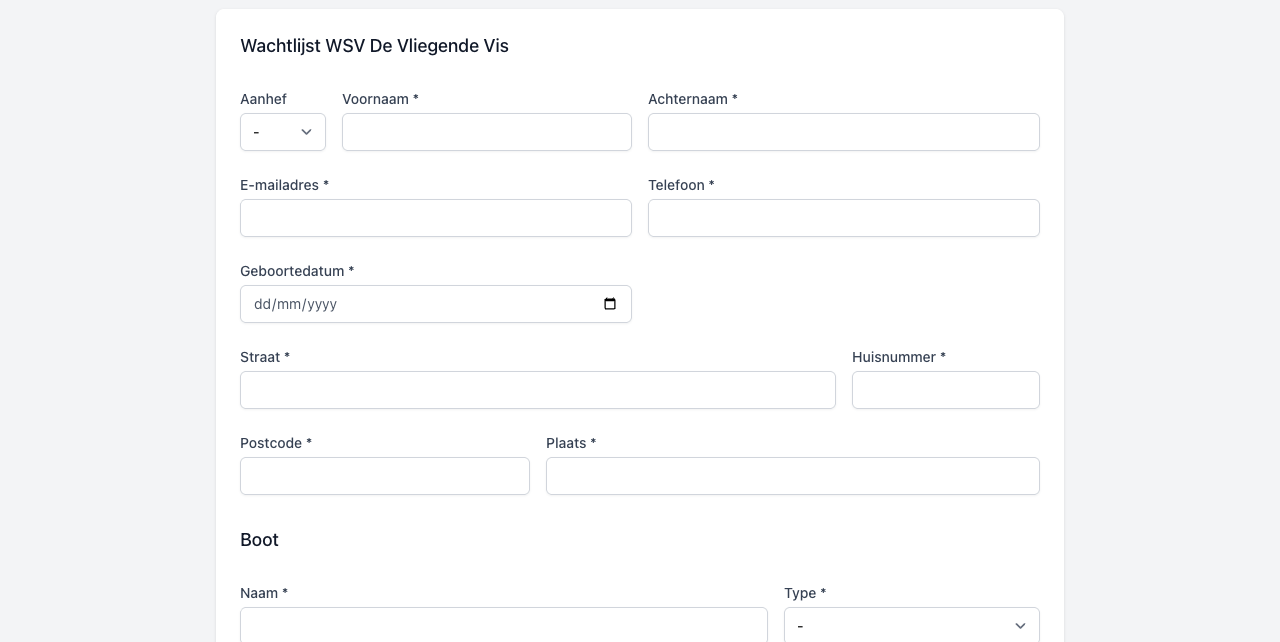
Public waiting list applications
Each harbor receives a branded /wachtlijst page. Applicants fill out their details, share preferred docks and upload boat photos so you never have to chase missing information.
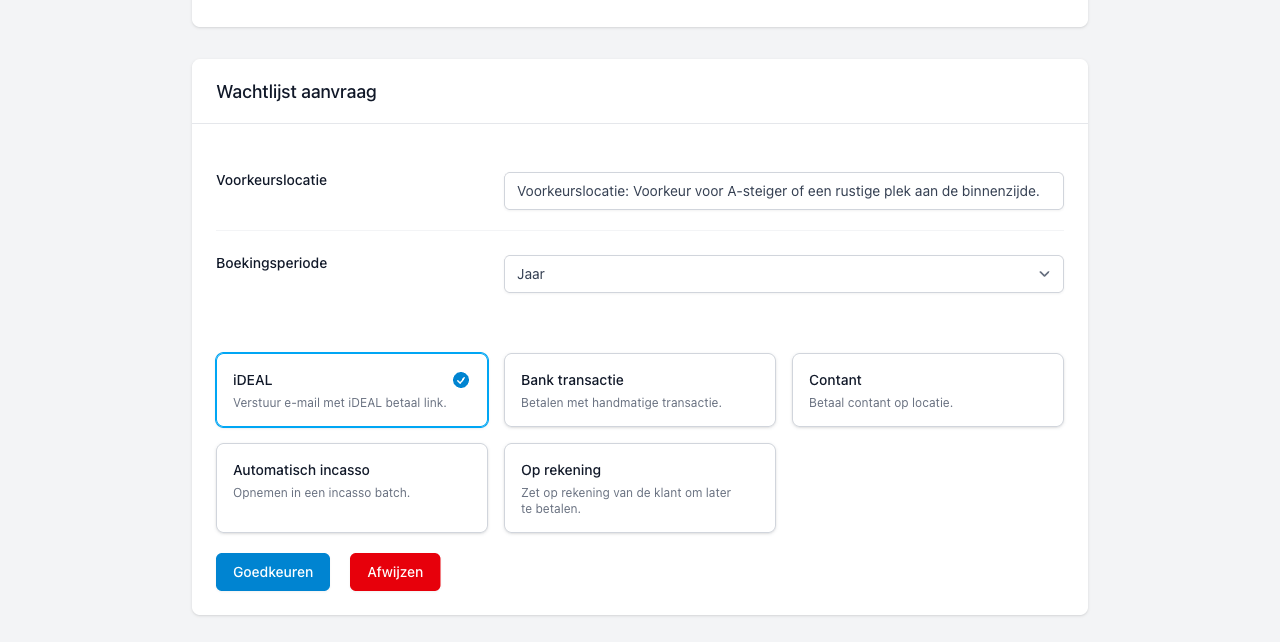
Approve once, Dockyard handles the admin
Dockyard creates the customer, vessel, waiting list entry and matching order in one transaction, adds mandatory memberships and starts the payment with the method you choose.
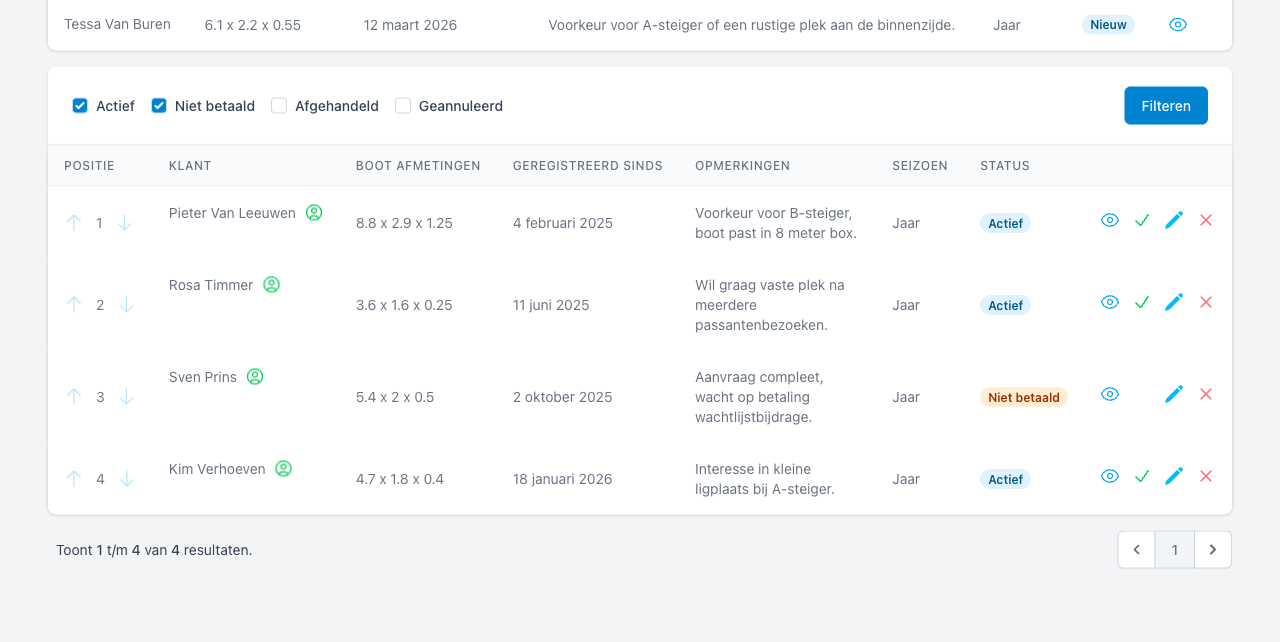
Insight into every season
Winter, summer or annual spots? Filter entries per booking period, view remarks, documents and payment status to decide when to invite a boater.
Why Dockyard
How the Dockyard waiting list works
From intake to a confirmed berth in three transparent steps.
-
01
Collect & qualify
Applicants fill out the secure form, choose their season and upload measurements plus insurance details. Need to add someone manually? Your team can also create the application inside Dockyard.
-
02
Review & decide
Use the HMS overview to filter by status, inspect boat details and add internal remarks before approving or declining.
-
03
Convert & invoice
Approving creates the waiting list entry, adds memberships (if applicable), starts the payment and shows the status right inside your waiting list overview.
Ready to remove spreadsheets from your waiting list?
Request a short Dockyard demo and discover how much time your harbor team saves.