Harbor shop
A point of sale built for your harbor office
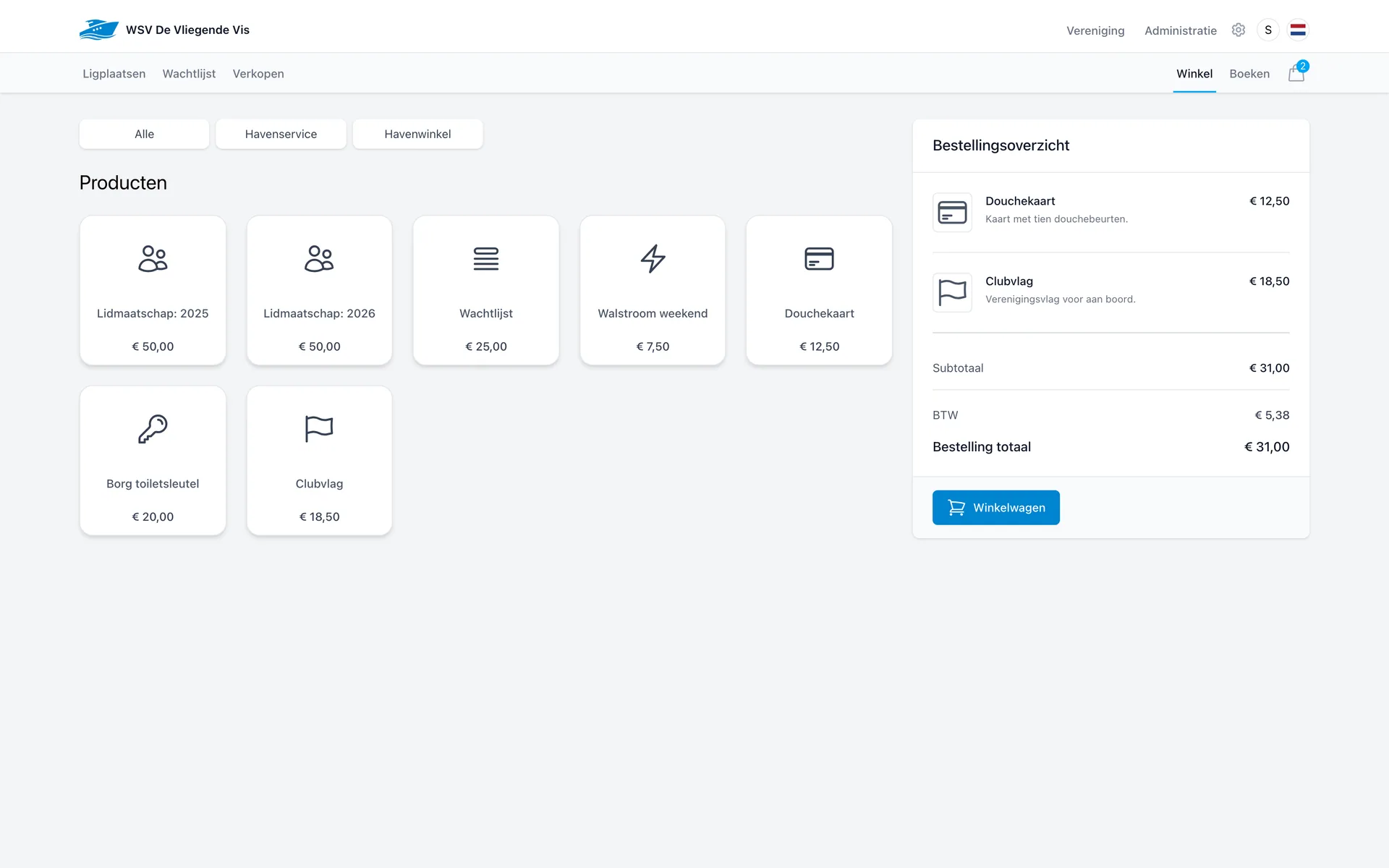
Shower card, shore power, club flag or membership: your team taps the product, the order is ready and checkout takes a few clicks.
Assortment
Sell what your harbour sells
You set up the assortment yourself and group products into categories such as harbour services and harbour shop. Each product has its own price, VAT and ledger account.
Memberships
Sell a yearly membership, linked directly to the member administration.
Shore power & services
Electricity for a weekend, water or another service around the berth.
Service and shower cards
Cards with a credit, such as ten showers, settled in one go.
Keys & deposits
Record a toilet key deposit as a product so the refund stays traceable.
Club merchandise
Flags, clothing and other club items, stocked at the counter.
Your own categories
Add your own products and categories; the shop grows with your harbour.
Checkout
A cart with discounts, VAT and totals
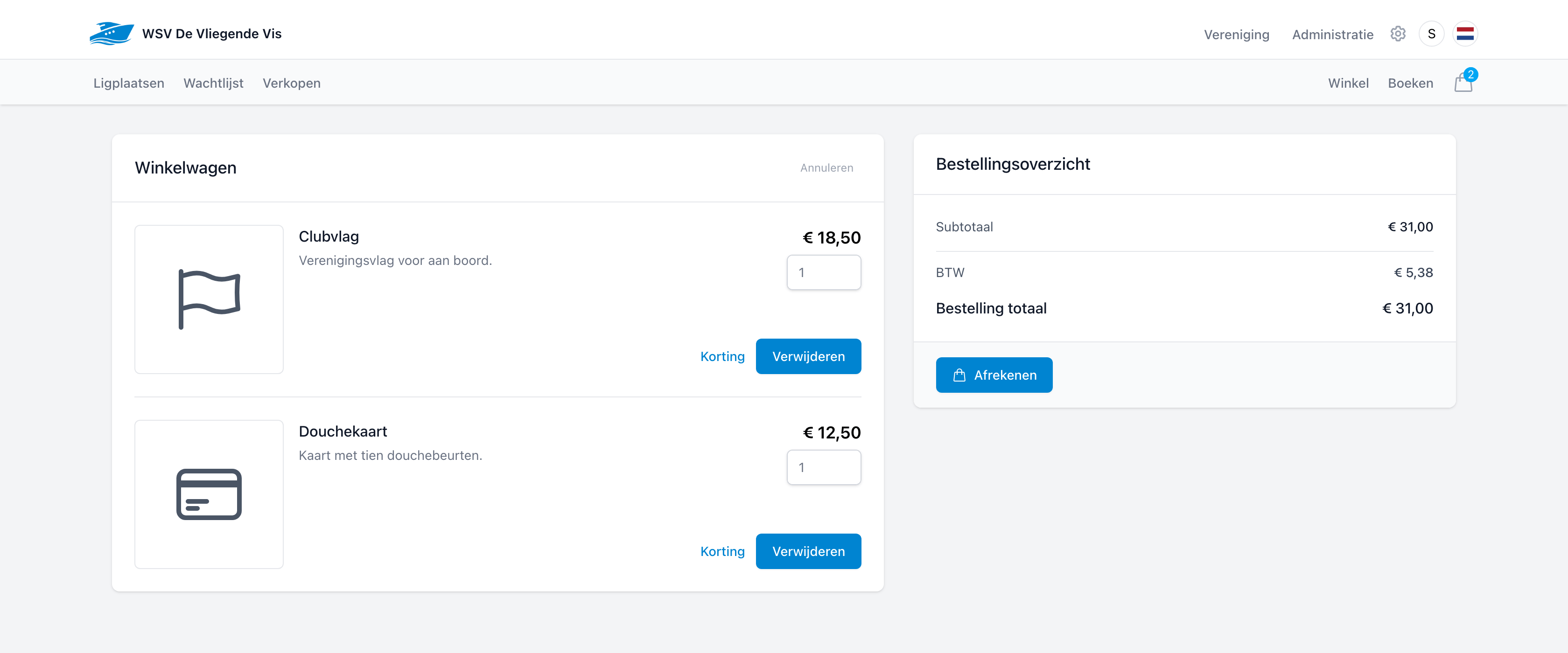
In the cart you adjust quantities, apply a discount per line and watch the subtotal, VAT and order total update. Checkout works with cash, iDEAL or on account.
- Adjust quantities and apply a discount per product line.
- VAT is calculated and shown automatically.
- Settle at the register or put the order on account.
Built for the counter
Fast enough for the busiest moment of the day
On a summer Saturday there is a queue at the harbour office. The harbor shop is built for exactly that.
One tap per product
Products sit ready as tiles. Tap one and it appears in the order summary.
Settled immediately
Cash into the register ledger, online via iDEAL or on the customer's account.
Straight into the administration
Every shop sale appears as an order under sales and flows through to the books.
See the harbor shop in action
In a short demo we set up an assortment and check out an order, from product tile to cash ledger.